Tool of the week: Greplin
What is it? A private search engine for your personal files and social media accounts
How is it of use to journalists? Greplin allows you to search your Gmail, Google Docs, Facebook, Twitter, LinkedIn and Dropbox accounts in the same way as you would use Google to search the web.
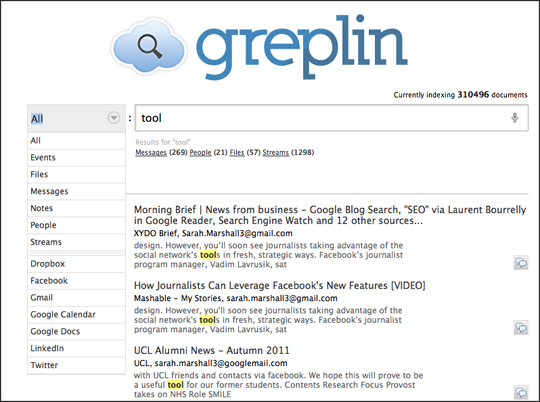
Recommended by Amy Webb at US journalism conference #ONA11 as “a way of sort of defragging your brain”, Greplin is a tool that can help journalists find a key piece of information in a second or two.
For example, you may be working on a story about a company or subject and have information in emails, your Dropbox account, Google Calendar and LinkedIn. One search in Greplin will allow you to surface the source documents and references to the company or topic.
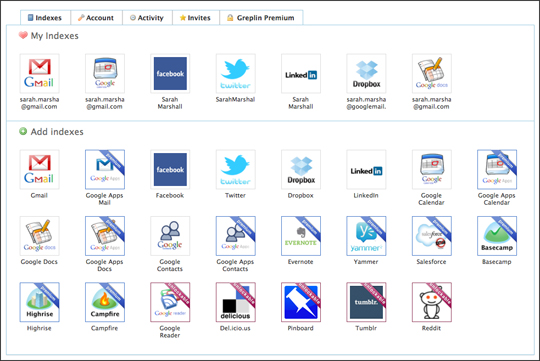
The basic subscription is free and includes those accounts listed above. You can unlock services such as Delicious by tweeting about Greplin, and there are some services, such as Evernote, only available with Greplin Premium.
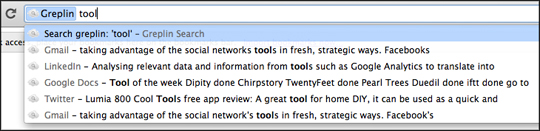
There is a free iPhone app and also a browser extension for Chrome, which is well worth adding. This enables you to search your files simply by prefixing your query with a “g”.
http://www.cloudmagic.com seems to do a good job with this as well. Heard about them on twitter recently.