Browse > Home /

#Tip of the day from Journalism.co.uk – how to get more Facebook likes, comments and shares

“Social media scientist” Dan Zarrella last month published a study which looked at data on more than 1.3 million posts published on the top 10,000 pages on Facebook.

His infographic is worth a look and there are a few lessons in there for social media managers charged with managing a news outlet’s Facebook page.

For example, the charts show how photos generate the greatest number of ‘likes’ and ‘shares’ and ‘text’ posts encourages comments.

The infographic also demonstrates how weekends and evenings are key for Facebook likes and engagement.

To find out more about why comments are more desirable than ‘likes’, see this guide on how to best post news on Twitter and Facebook.

Tipster: Sarah Marshall

If you have a tip you would like to submit to us at Journalism.co.uk email us using this link.

Tags: ,

Similar posts:

#Tip of the day from Journalism.co.uk – how to get more pins on Pinterest

April 13th, 2012 | No Comments | Posted by in Top tips for journalists

Dan Zarrella has done some research on Pinterest and created this infographic to explain how to get more pins and repins on the visual bookmarking site.

It is clear from the research that recipe’s are the most popular “repinnable” content, with”images about design” being the most pinned.

Here are 10 ideas for news outlets using Pinterest.

Tipster: Sarah Marshall

If you have a tip you would like to submit to us at Journalism.co.uk email us using this link– we will pay a fiver for the best ones published.

Tags: ,

Similar posts:

Tool of the week for journalists – WhoReTweetedMe

Tool of the week: WhoReTweetedMe

What is it? The name says it all. WhoReTweetedMe was launched less than a week ago (although the headline below suggests it may now be called WhoTweetedMe due to the troublesome name and URL when written in lower case).

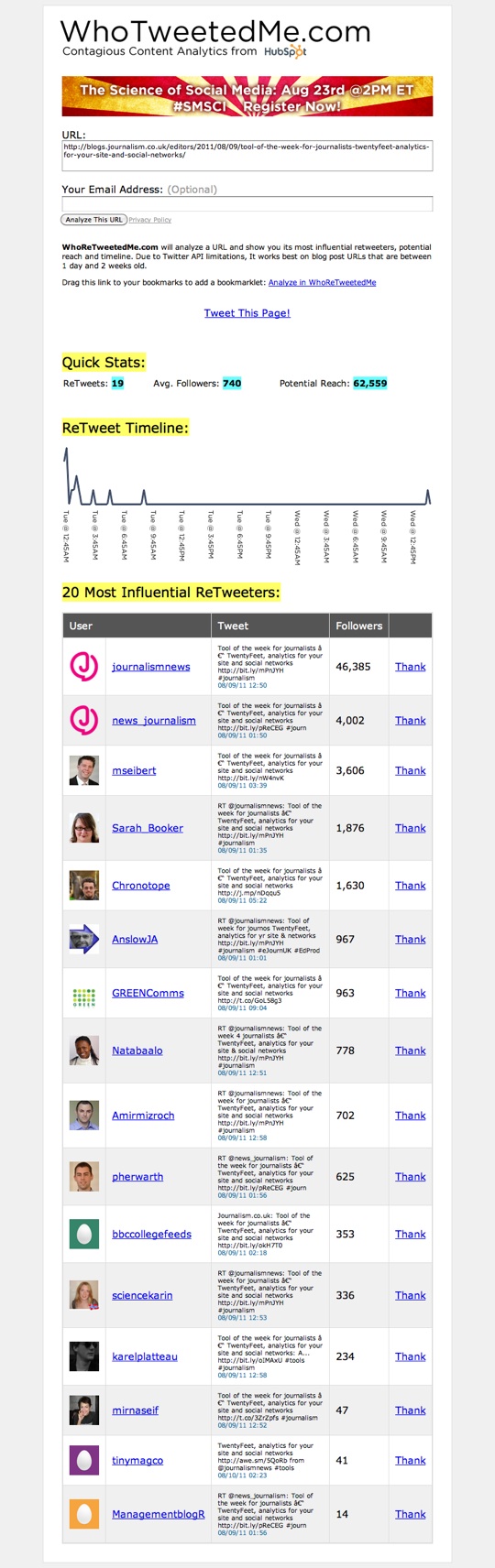
How is it of use to journalists? It allows you to see who has tweeted a particular article.

Announcing that he had created the tool, social media scientist at HubSpot Dan Zarrella said:

Simply enter the URL of a recent (between one day and two weeks old) blog post, click the button and wait a moment. You’ll see a report containing the timeline of tweets to that URL, statistics about potential reach and average follower count of retweeters as well as a list of the 20 most influential users to tweet the link.

There’s also a bookmarklet you can drag to your bookmarks bar. Navigate to the page you want to analyse and click on the bookmark to see the WhoReTweetedMe.com report.

The tool is still very beta, so don’t be surprised if you see some errors, but I think it’s valuable enough to release now.
Tags: , ,

Similar posts:

© Mousetrap Media Ltd. Theme: modified version of Statement