Browse > Home / Archive by category 'Freelance'

Cuttings.me, a new portfolio platform for freelance journalists

October 24th, 2011 | 1 Comment | Posted by in Freelance, Handy tools and technology

When freelance journalist Nicholas Holmes wanted to upload and share examples of his work could not find the ideal platform – so he built one.

Cuttings.me, which was launched earlier this month, allows freelancers, journalists and trainees to create an online portfolio with a simple, clean and effective layout.

You get your own URL (cuttings.me/nicholasholmes, for example), can upload your own background image and select from a couple of different layouts. Holmes promises more customisation options will be available in the near future.

It takes just a few minutes to create a portfolio, complete with biography and links to your blog, Twitter, Facebook and LinkedIn accounts, and then you can start bringing in your cuttings by adding links or uploading PDFs.

You can see examples of journalists’ Cuttings.me profiles at cuttings.me/simonrobinson and cuttings.me/momtaz.

There is currently no index of users so although profiles are technically not private, no one will see your page unless they have the URL.

“It’s possible that in the future I will introduce a feature where I can browse other people’s profiles,” Holmes said, explaining that he would inform users before making changes.

Holmes, who is British but lives in Switzerland, is tourism editor at France-based leisure newswire AFP/Relaxnews “and a bit of a geek on the side”.

“As well as doing my day job for the newswire I am also pitching for freelance stuff,” he told Journalism.co.uk.

What I found is that I was always having to send different URL’s in emails. It all got a bit messy when I was trying to remember the best bits that I had done and found I had the need for a single place to put all of this stuff and wanted the ability to direct people to that single page.

There are lots of resources online where you can hook up your Twitter feed, your Facebook URL and your LinkedIn URL but there was nothing specifically designed for journalists and so I thought I’d have a bash at developing it.

Cuttings.me is now in public beta and Holmes is looking for feedback, which you can give by tweeting @cuttingsme.

Tags: , , , ,

Similar posts:

Ten incredibly useful browser add-ons for journalists

Browser extensions for Google Chrome, add-ons for Firefox and Safari extensions can be very powerful and incredibly useful to journalists.

Here is a list of some that can help you find and search, verify sources and speed up picture annotation.

Some of the extensions in this list are our tips and the rest are suggestions submitted to us after we sent out a tweet asking for nominations.

1. HoverMe (Chrome)

Verifying Twitter sources can be testing. When this browser extension for Chrome is installed and you hover over a Twitter profile photograph, it will enable you to see what other online accounts that user has and although not fool-proof, will give you some idea of whether they are a real person with LinkedIn, YouTube and Delicious accounts and, helpfully, a Klout score, which measures online influence.

The downside is you have to use Twitter’s own website rather than a platform such as TweetDeck and it does depend on users using the same email address to link their various profiles.

2. Awesome Screenshot (Chrome and Firefox)

An incredibly useful Chrome and Firefox extension for online journalists who spend time annotating screengrabs in Photoshop and other graphics packages.

First you click the button on your browser to take a screen shot and then you can crop the image, circle or blur an area and save it.


3. Greplin (Chrome)

Greplin is an incredibly useful tool and has a handy browser extension which allows you to search your own private files from Chrome. It’s like Google for your email, calendar, Dropbox and Delicious. After you have signed up to Greplin and added the extension you can then type ‘g’ in the url field and search for a keyword or phrase and find references to it from your Gmail, Facebook and Dropbox accounts, plus in several other platforms.

4. Delicious (Firefox, Chrome, Safari)

Delicious has various add-ons to help users of the bookmarking platform. You can post a URL directly to Delicious and see your tags to allow you to easily find archived bookmarks.

Tipster: @the_claus

5. British English Dictionary (Firefox)

If your CMS, such as WordPress, has a default US spelling setting, this is one way of switching it to British English. Install the add-on, select several rows of text, right-click and change the language.

6. Firebug (Firefox)

This is a handy extension for journalists to “edit, debug, and monitor CSS, HTML, and JavaScript live in any web page”. By clicking on the installed add-on, you will be given a screen which shows you the code. Handy for spotting bugs.

7. Zotero (Chrome and Safari)

Zotero is a tool to help you collect, organise, cite, and share your research sources. Click on the add-on and you can file any web page into your Zotero library and manually add additional notes and information. There is a video here that explains how Zotero works.

Tipster: @onlinejourno

8. ScribeFire (Chrome and Safari)

ScribeFire allows you to blog from your browser, without opening the CMS or platform. You can post to platforms including WordPress, Blogger, TypePad, Windows Live Spaces, Tumblr, Posterous, Xanga, and LiveJournal.

You can edit and update existing posts and also schedule posts for the future (if your blog allows that). You can also delete posts, save drafts, tag, categorize and upload images, and post to multiple blogs at once.

Tipster: @onlinejourno

9. WikiTrust (Safari and Firefox)

Journalism students are no-doubt told never to rely on information form Wikipedia. This handy add-on goes some way to help you understand the online reputation of authors and content, however. Click the installed tab (within Wikipedia) and the intensity of the colour highlighting the text will tell you the degree to which it has been revised by high-reputation authors.

An orange background indicates new, unrevised, text, white is for text that has been revised by many reputed authors.

Tipster: @the_claus

10. Greasemonkey (Firefox)

This Firefox add-on allows you to  “customise the way a web page displays or behaves, by using small bits of JavaScript”. For example, use other people’s code to do things like remove the Facebook side ticker.

Journalist Mary Hamilton, who recommended the add-on said she uses it to automate really simple tasks and auto-refresh web pages.

Tipster: @newsmary

Tags: , , , , , ,

Similar posts:

‘If this then that’: ten recipes for journalists

If this then that – or ifttt – is a tool that allows you to connect various other tools together to create rules or tasks. It allows you to connect 17 channels, including SMS, Facebook, WordPress and Dropbox, offering 1040 possible task combinations.

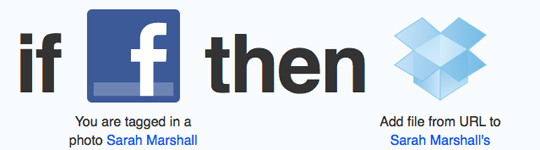
The most popular ‘recipe’, a task designed and shared by others, will give you an idea of how ifttt works. This recipe allows you to connect your Facebook and Dropbox accounts so that when someone tags you in a photo on Facebook, the photo will be added to your Dropbox folder (cloud storage allowing you to access your files on different devices).
Here are ten ifttt recipes for journalists:

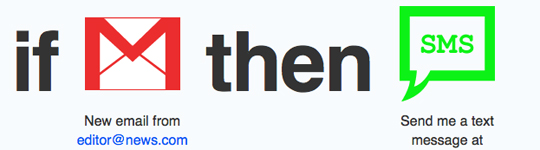
1. When you receive an email from a key contact or your editor, you receive an SMS

You no doubt receive scores of emails but there are some senders that are more important to hear from than others. This recipe allows you to set up a key contact, such as a source or your editor, and receive a SMS whenever that person emails you.
2. When you post a link to Delicious, add to Dropbox

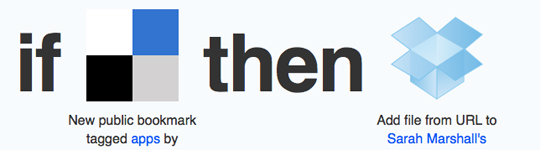
If you use Delicious to bookmark interesting stories, this recipe allows you to also save the links to Dropbox. For example, I am interested in new smartphone apps so have set up a connection so that any Delicious bookmark that I tag “app” is posted to a folder in my Dropbox account.
3. Post Google+ posts to your Facebook page

Google+ adds additional responsibility for anyone in the newsroom tasked with managing social media.

It is widely recognised that non-automated posts are best when it comes to Facebook and Google+. This recipe allows you to write a link post in Google+ and automatically post the link to your site’s Facebook page. You can also create a rule to post status updates.

To do this you need to set up an RSS feed of your Google+ account. Copy your Google+ ID, which is the long number in the URL of your Google+ profile, and paste it on the end of http://plu.sr/feed.php?plusr=. My Google+ feed is therefore http://plu.sr/feed.php?plusr=107031542976965456407, for example.

4. Create an Evernote every time you star an item in Google Reader

If you use Google Reader as your RSS feed reader and want a quick way of saving key articles to Evernote, this is a solution.

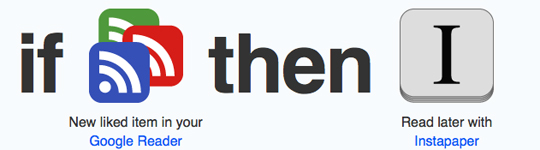
5. Post to Instapaper (or Read It Later) every time you star an article in Google Reader

If you use Instapaper to read articles later this is a quick way of posting from Google Reader.
6. Post a ‘favourite’ tweet (with links) to Instapaper (or Dropbox or Evernote)

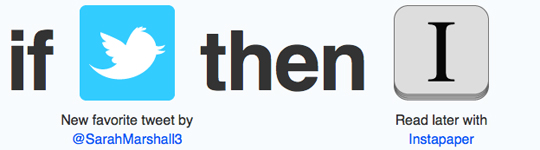
When you come across a tweet with a link and want to save it for later you may well click star to make it a favourite. This recipe allows you to save those favourite tweets and post the linked articles to Instapaper. Alternatively, you can also set this up to save to Dropbox of Evernote.
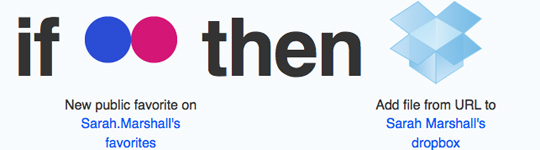
7. Add favourite Flickr photos to Dropbox

If you post stories you write online, you may well use Flickr images with creative commons licences. Flickr allows you to indicate favourite images that you come across and may want to use at a later date. This recipe saves those images to Dropbox. Alternatively, you can set this up to save favourites to Evernote.
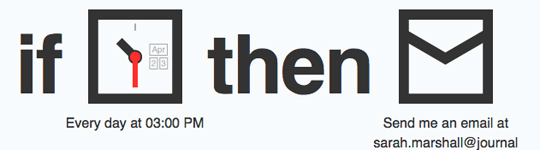
8. Send me an email (or SMS) to remind me about a daily meeting, weekly or monthly task.

If you have a daily or weekly meeting or task to carry out, ifttt can enable you to create reminder.
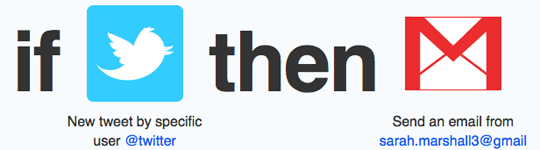
9. Send me an email (or SMS) every time a certain person tweets

Twitter is a great source for journalists but it is easy to miss a tweet from a key contact. Perhaps the key source is a person or company that only occasionally tweets and when they do you want to be alerted immediately. This recipe allows you to receive an email when an individual tweets. You can also set a rule to receive an SMS.
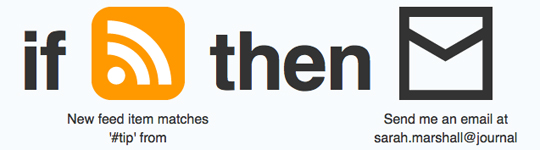
10. Send me an email every time a keyword is mentioned in an RSS feed

This is a recipe I suggested in a recent Journalism.co.uk tip of the day. It is a way you can set up an alert when a keyword is mentioned by a particular news provider.
If you are a journalist and have a favourite ifttt recipe, share it in the comments session below.

Tags: , , , , , ,

Similar posts:

#jpod: Out of Africa – inspiring stories for aspiring foreign correspondents

September 30th, 2011 | No Comments | Posted by in Freelance, Podcast

If you are one of those people who has dreamed of becoming a foreign correspondent, this week’s #jpod is for you.

Journalism.co.uk technology correspondent Sarah Marshall speaks to Tim Butcher, a former Telegraph foreign correspondent who is now a renowned author of books detailing journeys in Africa, and Ruud Elmendorp, a video journalist who has been roaming Africa with his camera for almost a decade.

You can find out more about books by Tim Butcher and watch Ruud Elmendorp’s video reports here.

You can hear future podcasts by signing up to the Journalism.co.uk iTunes podcast feed.


Tags: , , ,

Similar posts:

#Tip of the day from Journalism.co.uk – eight tips on establishing yourself as a freelancer

If you’re trying to establish yourself as a freelance journalist, Leon Brown, a freelance developer and tutor who has taken the step and started pitching and writing articles for magazines about internet technologies has the following eight tips:

  1. Use your website to list ideas for articles you want to write then use social media like Twitter and LinkedIn to target decision makers who will want to hire you;
  2. You could allow buyers to select article components. I’m creating something like this on my website, allowing magazine editors and other types of buyers to select them and add them to a shopping cart;
  3. Engage in discussions that decision makers are involved in;
  4. When you post a comment on LinkedIn, most people involved in the discussion will get an email making them aware of your comment;
  5. If you are contributing informative points to a discussion, it helps people perceive you as knowledgeable which enhances your personal brand;
  6. Engage with decision makers’ own content. For example, I’m speaking to .Net magazine about writing an article for them which came about after I commented on a blog post. The strategy was to take something that’s already of interest to them and propose something new from it.
  7. Suggest writing content that has an interesting twist on current events. For example, I’ve did this when pitching my two most recent articles. The first was when LulzSec hacked Sony. I proposed to Web Designer Magazine to write an article about how website hacking works and how to build code to protect against it. .Net magazine was interested when I suggested writing an article containing advice for people working in the web industry who have been made redundant. That was promoted by the current economic uncertainty.
  8. Build you followers. If you have a fan base, then this becomes an asset when getting decision makers to hire you because this also allows them to make more sales of their publication to your audience.

Tipster: Leon Brown

If you have a tip you would like to submit to us at Journalism.co.uk email us using this link – we will pay a fiver for the best ones published.

Tags: , , ,

Similar posts:

US study finds 92% of B2B journalists use LinkedIn

A study by US company Arketi Group has found 92 per cent of journalists writing for B2B publications use LinkedIn, 85 per cent of journalists are on Facebook, 84 per cent use Twitter.

Out of the journalists surveyed, 58 per cent have a YouTube account, 49 per cent have a blog, 28 per cent use Flickr, 20 per cent use Digg, 18 per cent have a MySpace account, 15 per cent use Delicious and 14 per cent use Foursquare, according to this report.

Meanwhile, LinkedIn has published advice on its blog for freelancers and those who juggle journalism careers with other jobs.

For example, a freelance or part-time journalist may also be a yoga tutor and have to decide whether or not to include details of both careers in a LinkedIn profile.

Your first decision is whether you want to feature both careers on your LinkedIn profile. If you think it might be puzzling or even damaging to one of your jobs to feature both on your profile, then simply leave off your other employment. There is no rule that you have to show everything you do on LinkedIn.

If, on the other hand, you want to promote both of your jobs or careers, here are two ways to do that effectively:

  • Embrace the slash mark: Marci Alboher, author of One Person/Multiple Careers, coined the term “slash careerist” or “slasher” to refer to individuals who can’t answer “what do you do?” with a single word or phrase. If you’re perfectly comfortable being a tech salesperson/photographer or a lawyer/SAT tutor, then proudly display this as your LinkedIn headline.

You’ll also want to list both of these positions as your current employment in your profile. The way to include more than one job as current is to put the end dates of both jobs as “present”. Note that whichever role began more recently will be displayed first.

  • If, instead, you want to highlight one of your jobs more prominently (e.g., because you’re hoping to land a new job in that field or believe you’ll have more networking opportunities related to that role), then I recommend writing a profile headline featuring that role exclusively and listing it as your only current position.

The LinkedIn blog post aso has advice from freelancers who are seeking a full-time position.

Here is a Journalism.co.uk podcast on how journalists can best use LinkedIn


Tags: , , ,

Similar posts:

Tool of the week for journalists – Duedil, ‘Lexis-Nexis-meets-Google-meets-LinkedIn’

August 23rd, 2011 | No Comments | Posted by in Business, Freelance, Tool of the Week

Tool of the week: Duedil

What is it? Duedil is a website which launched in April 2010 and allows you to access company stats and figures for free. Gigaom described it as “Lexis-Nexis-meets-Google-meets-LinkedIn”.

It’s still in beta but is a kind of social network for company information; transparent data available on a site with an intuitive user interface.

You can, of course, access the information via Companies House (for a £1-a-report-fee) but what Duedil does really well is allow you to explore and drill down.

Graphs, charts and timelines present current stock information, the number of employees and opinions on the firm, including tweets.

How is it of use to journalists?

Whatever your area of journalism – from fashion to politics to local newspapers – you no doubt have to keep an eye on the finances, details of directors and employee numbers of companies within your field of expertise.

What’s really nice is that if you log in with your LinkedIn profile, it automatically suggests companies you might be interested in.

Even if you never use Duedil for journalistic research, it’s worth exploring and curiously addictive once you start browsing.

Here’s an example: Journalism.co.uk is interested in following newspaper groups, media organisations and tech companies.

Let’s take News International Publishers Ltd. You can click to see various details.

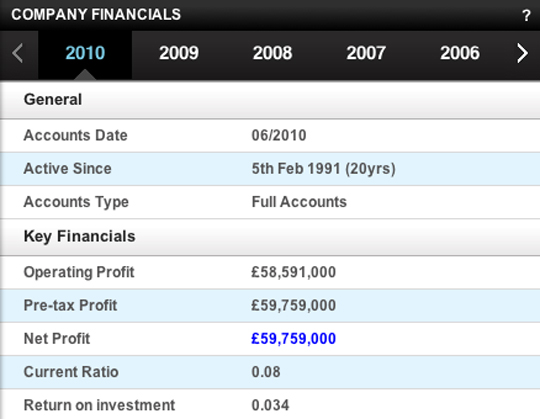
For example, you can click on the financials for various years.

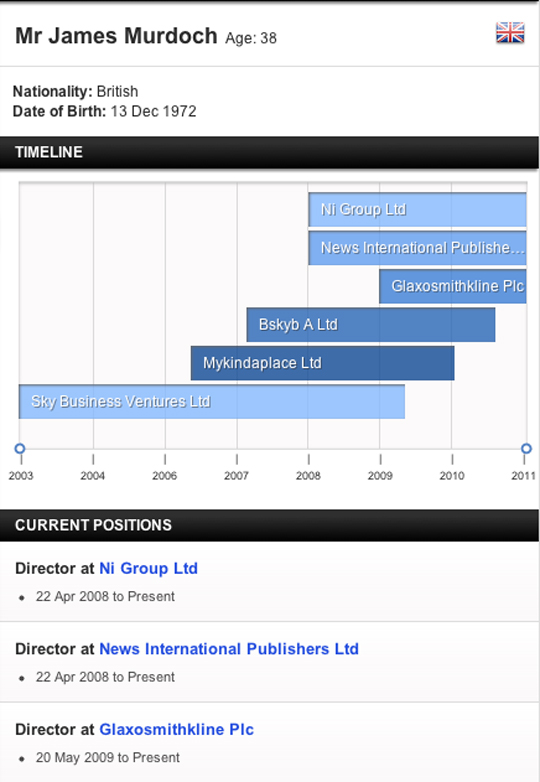
You can then look at the list of directors and find James Murdoch’s current and past positions presented on a timeline.

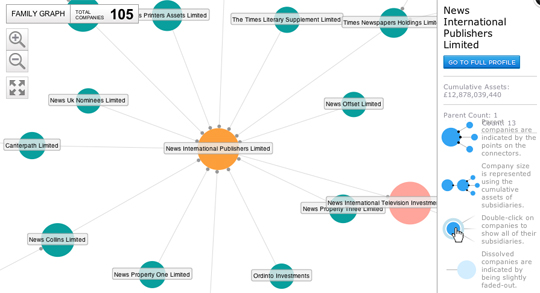
Now click on the group graph and see the family of related companies.

Here’s another example, this time for Johnston Press. Here you can see the stock information, number of employees:

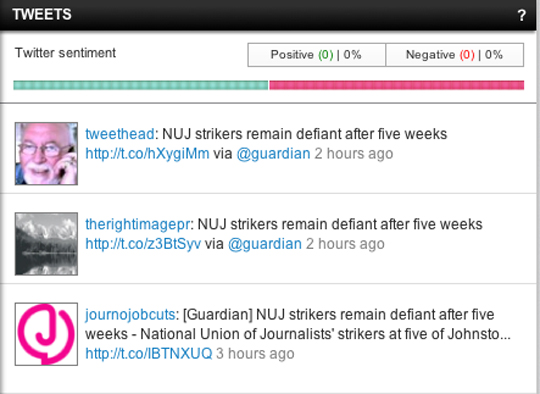
Under the “opinions” heading, you can also see the tweets that comment on JP.

It is worth checking and data you access from Duedil (you can report bad data if you come across it and receive £5 as part of its guarantee).

Simply by following companies on Duedil – in the way you would follow people in a social network – you may well come across data to inspire further investigation or information that reveals a connection.

Tags: , , ,

Similar posts:

Online newsroom allows freelancers to pitch and get paid

Kapost, a new site for web publishers, is about to launch a mechanism for paying journalists a bonus if their articles clock up a certain number of web hits, retweets or Facebook ‘likes’.

What is Kapost?

Kapost is an online system for web publishers to manage all areas of production.

It works in conjunction with a site’s own CMS, such as WordPress, and allows freelancers to pitch story ideas and get paid in a single click via PayPal. An invoicing service is coming soon.

There is a calendar for managing workflows and a CMS for any publisher that does not want to use their existing system.

Editors can drill down to view the performance of stories by author, on a categorised topic (such as health or education), or by individual story and analyse the traffic generated. Organisations can then opt to pay reporters an additional bonus for popular stories.

Grace Boyle from Kapost spoke to Journalism.co.uk from the company’s base in Colorado:

We don’t want to replace Google Analytics but we are taking the most important analytics metrics and we show which of your contributors are giving you the most traffic.

She added that Kapost’s aim is to reduce the amount of administrative duties required of editors.

Kapost is free for organisations with three people or less; it is $8 per user per month for larger organisations.

To see a demo of Kapost, click on the video below.

http://youtu.be/31jKXzxLZDU

Related content:

Readers may have the last say in what is and is not journalism

ScribbleLive: Four ways to make money from liveblogging

WikiLeaks links with Brazilian partner to scrutinise US embassy cables

Tags: , ,

Similar posts:

NUJ: Police reassure union ‘no more local press passes’

The assistant chief constable for the Lancashire police has assured the National Union of Journalists the force will not repeat the giving out of its own press passes in the way it did earlier this month, following a complaint from the union.

According to the NUJ the police force issued the local press passes for a demonstration by the English Defence League in Bradford.

Following the decision NUJ freelance organiser John Toner wrote in complaint to the force, and has now received a response from assistant chief constable Andy Cooke to say he “would like to reassure you, and your members, that we will not be issuing a press pass again for this sort of event”.

But he added the force will be asking for recognised accreditation into controlled zones or areas. John Toner responds to the news below:

This is a welcome response, and I have replied with copies of our leaflets explaining the merits of the UK Press Card.

I have also asked the UK Press Card Authority to seek a meeting with the Association of Chief Police Officers (ACPO) who officially recognise the Press Card.

We need to ensure that all police forces recognise the Press Card and provide access to bearers of the cards.

Tags: , , ,

Similar posts:

#Tip of the day from Journalism.co.uk – starting out freelancing

Freelance journalist Samantha Moolman offers some advice on the Writers’ College website on how to get started as a freelance journalist, from setting goals in your work to mapping your areas of interest. Tipster: Rachel McAthy.

To submit a tip to Journalism.co.uk, use this link – we will pay a fiver for the best ones published.

Tags: , ,

Similar posts:

© Mousetrap Media Ltd. Theme: modified version of Statement